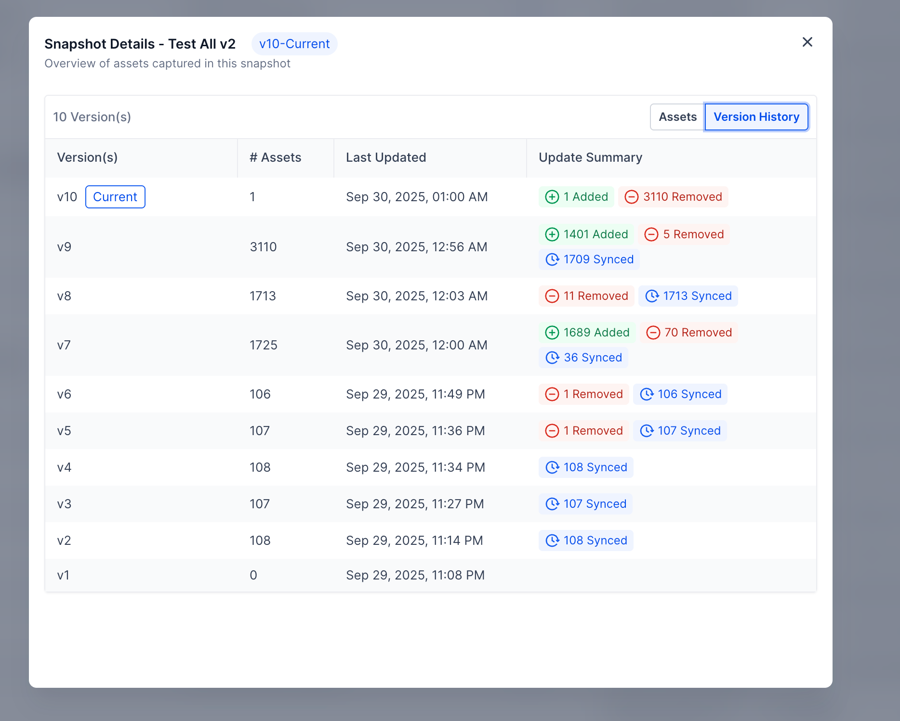
We’ve introduced Snapshot Version Management to make tracking and managing your Snapshots effortless.👉 How to Enable ?Go to Settings → Labs → Toggle on “ Snapshots – Revamped UI & Version Management System”.🚀 What’s NewVersion History:See all past versions of each Snapshot directly in the Snapshot details modal.Update Summaries:Quickly view what was added, removed, or synced in each version when you performed Snapshot Refresh.Version References Everywhere:Check the version associated with My Snapshots, Imported Snapshots, and Shared Snapshots — so you always know exactly what’s been shared or imported.⭐ Why This Matters
Save time by instantly reviewing version history.
Eliminate the need to maintain offline Excel sheets for Snapshot changes.
Debug faster by knowing precisely what was shared or imported at any point.
🛠 How to Use
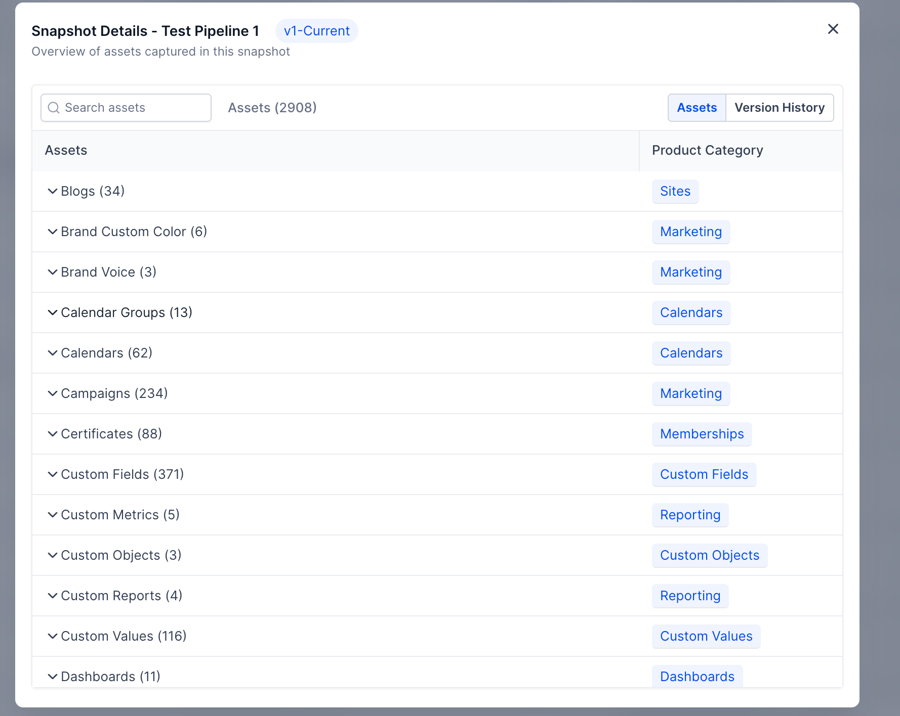
Open My Snapshots and click on any Snapshot to view details.
Use the tabs to switch between Asset View and Version History.
In Version History, click any version row to see a detailed breakdown.
🔮 What’s NextSoon, you’ll be able to switch a Snapshot to an older version.
 🔮 What’s NextSoon, you’ll be able to switch a Snapshot to an older version.