Reserve with Google Integration - Local Service Ads (LSA)
Unlocking Potential with Local Services Ads and Reserve with Google Integration
Exploring the Features:
Practical Usage Cases:
Benefits of Integration:
Glossary of Terms:
Integration Guide:
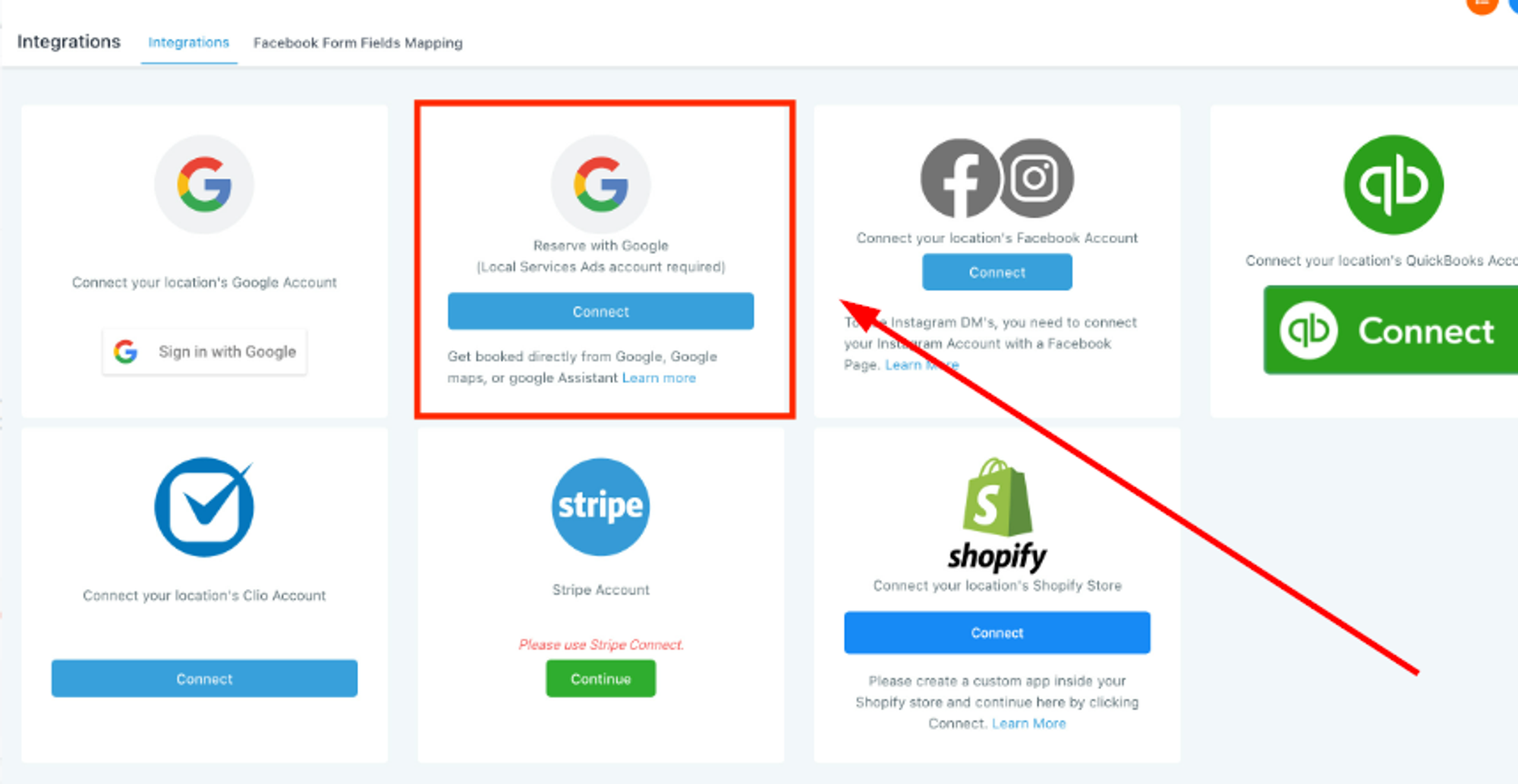
In Settings > Integrations, click "Connect" under Reserve with Google.
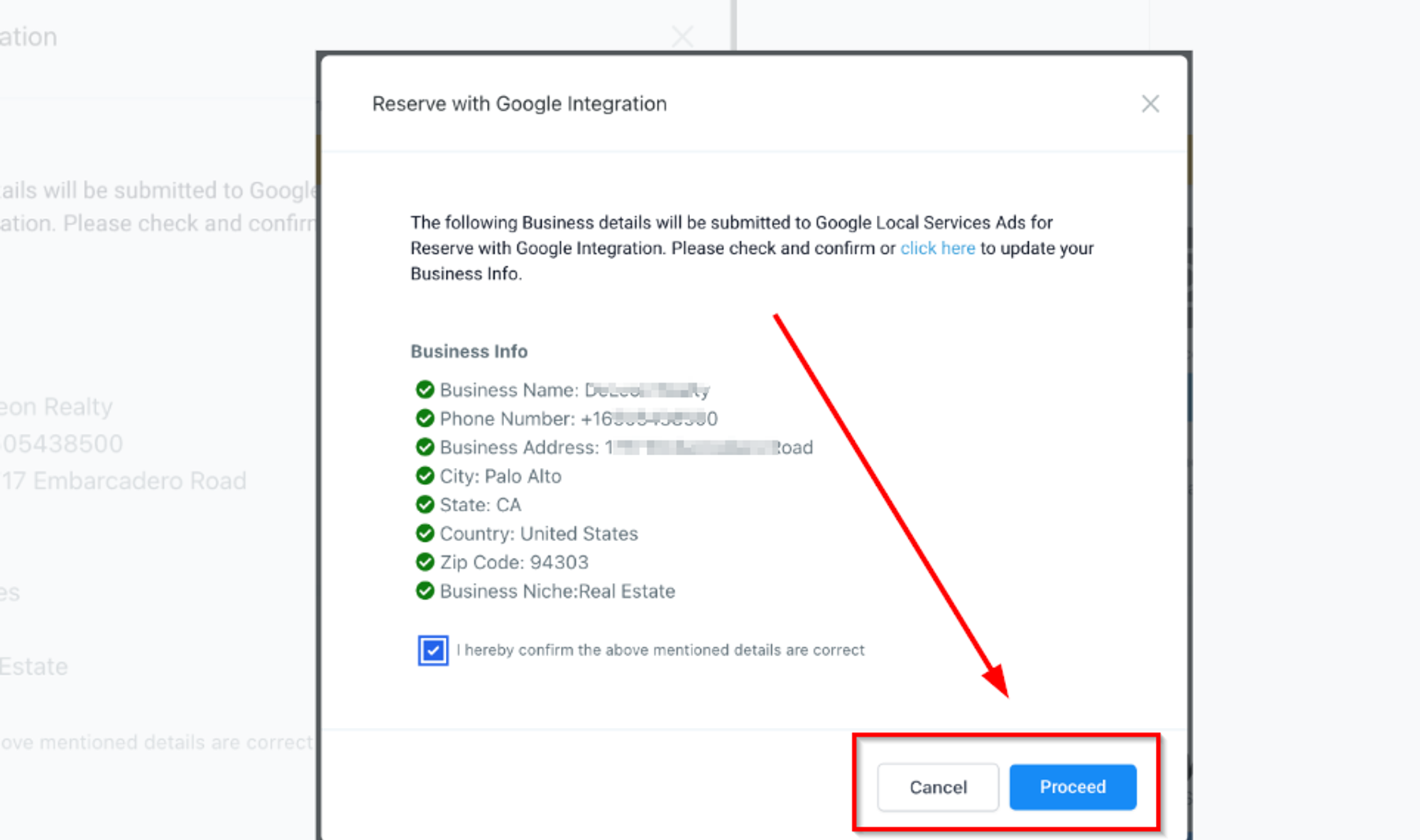
Confirm business details and click "Proceed."
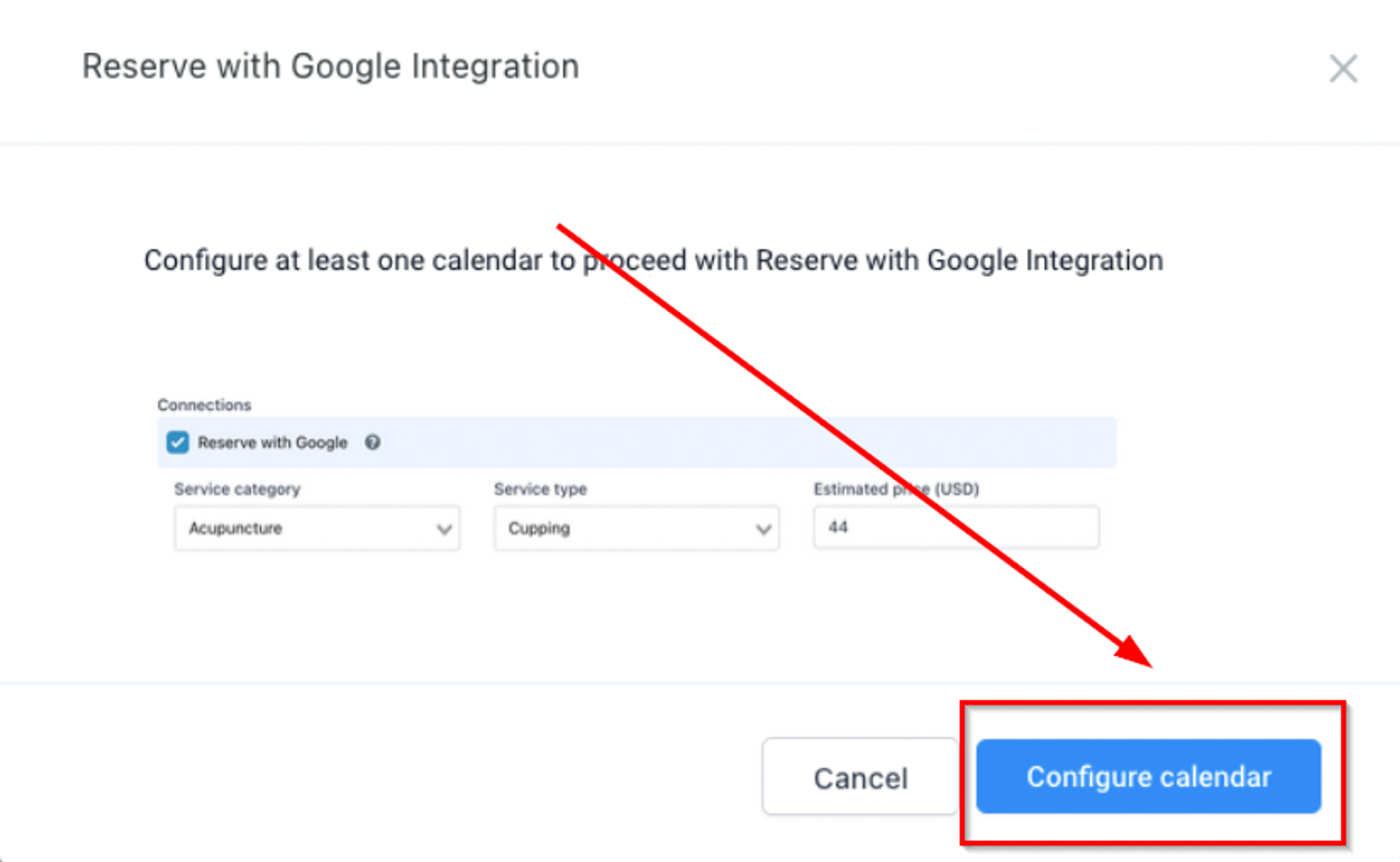
Click "Configure Calendar" to update settings.
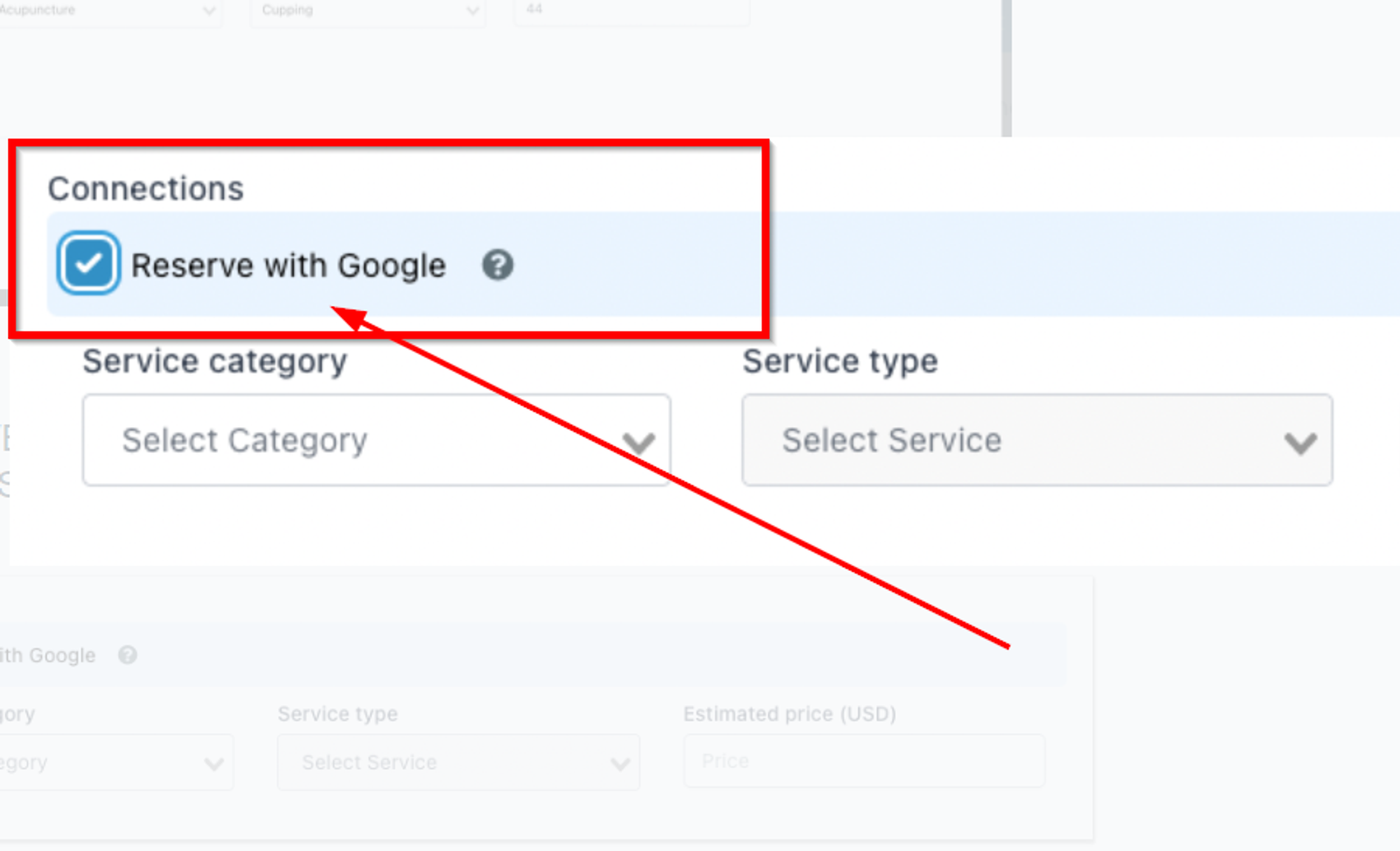
Enable "Reserve with Google," update Service Category, Service Type, and Estimated Price.
Return to Settings > Integrations, click "Start Integration," and follow instructions.
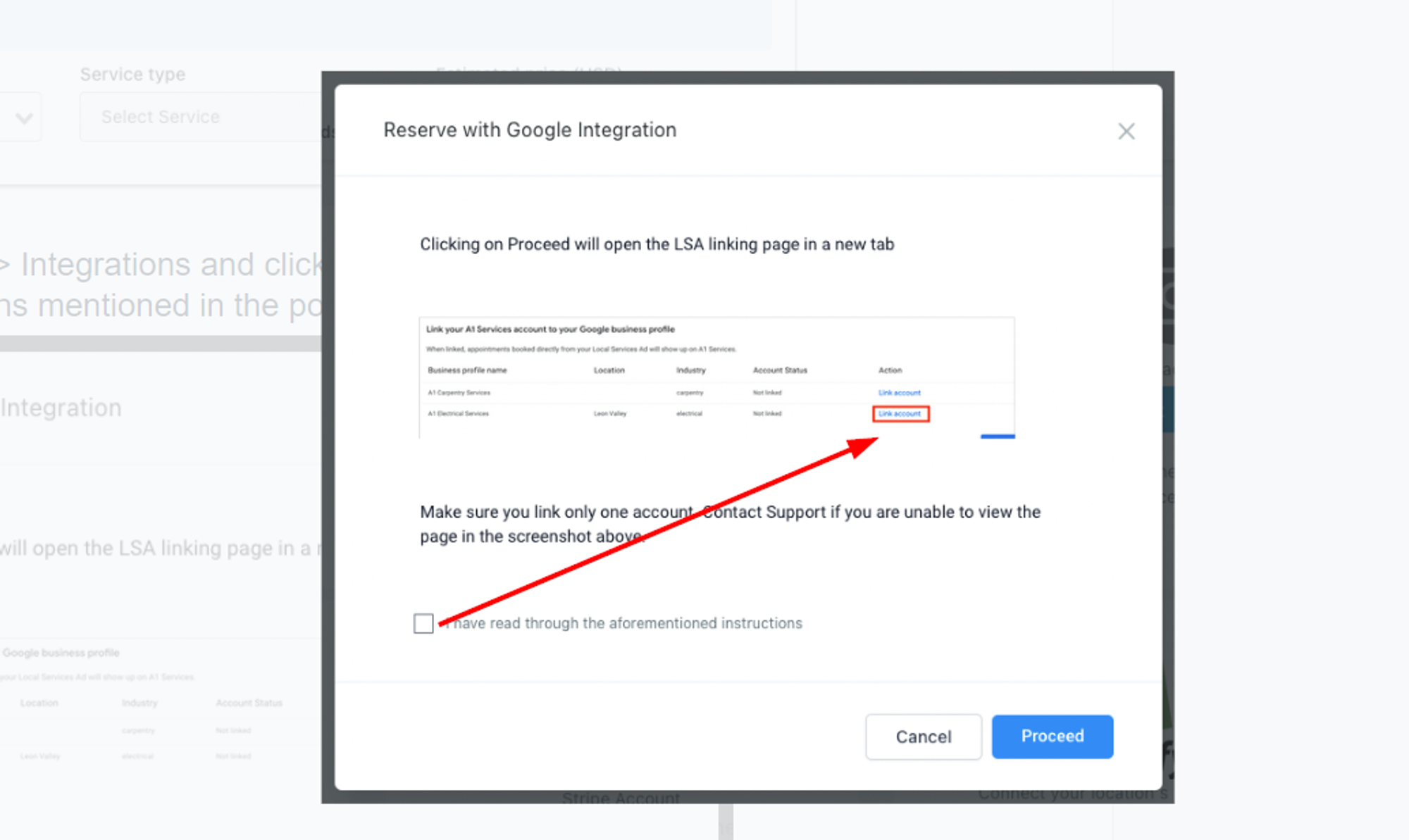
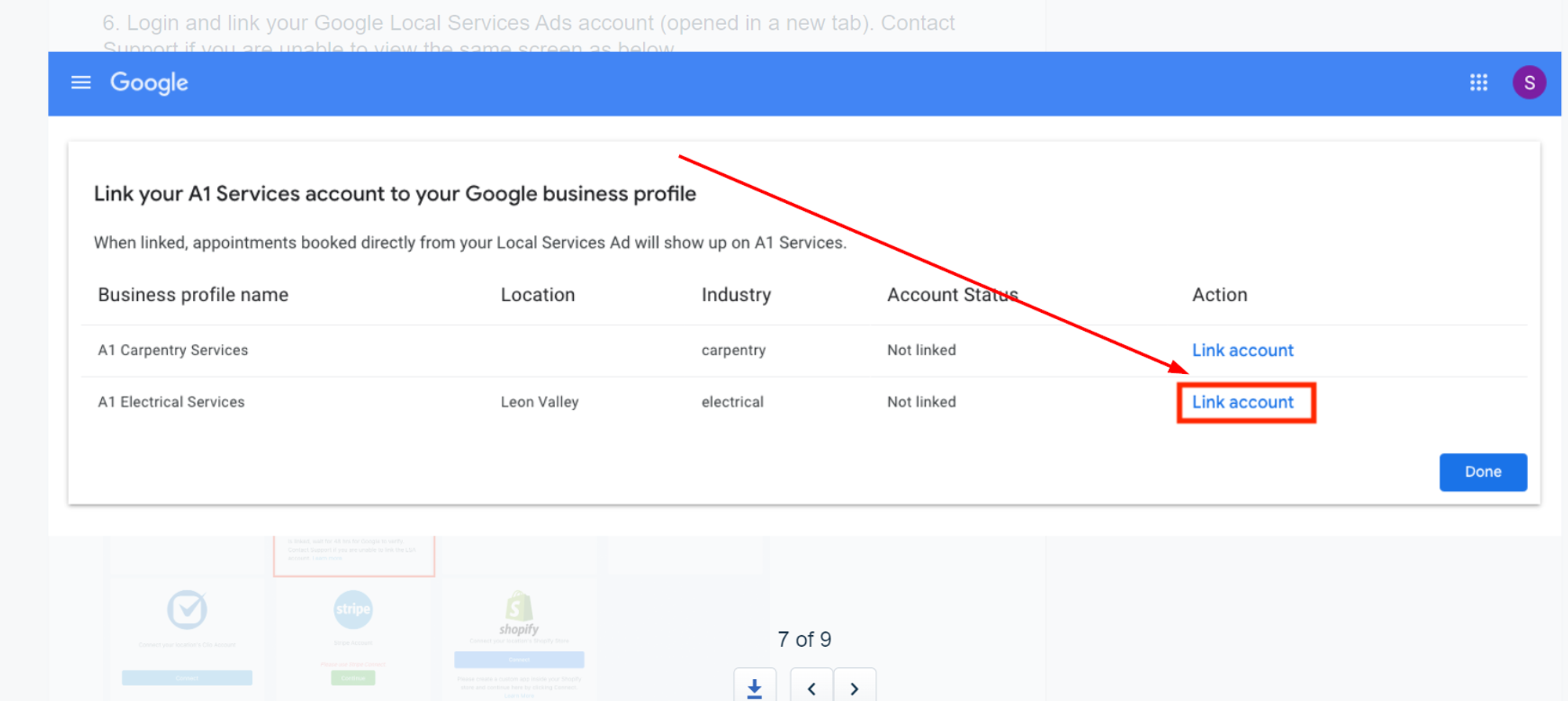
Link your Google LSA account.
Conclusion:
Last updated